GovTech
Jan 2025 – Apr 2026
At Goodwish
Client work — described generically
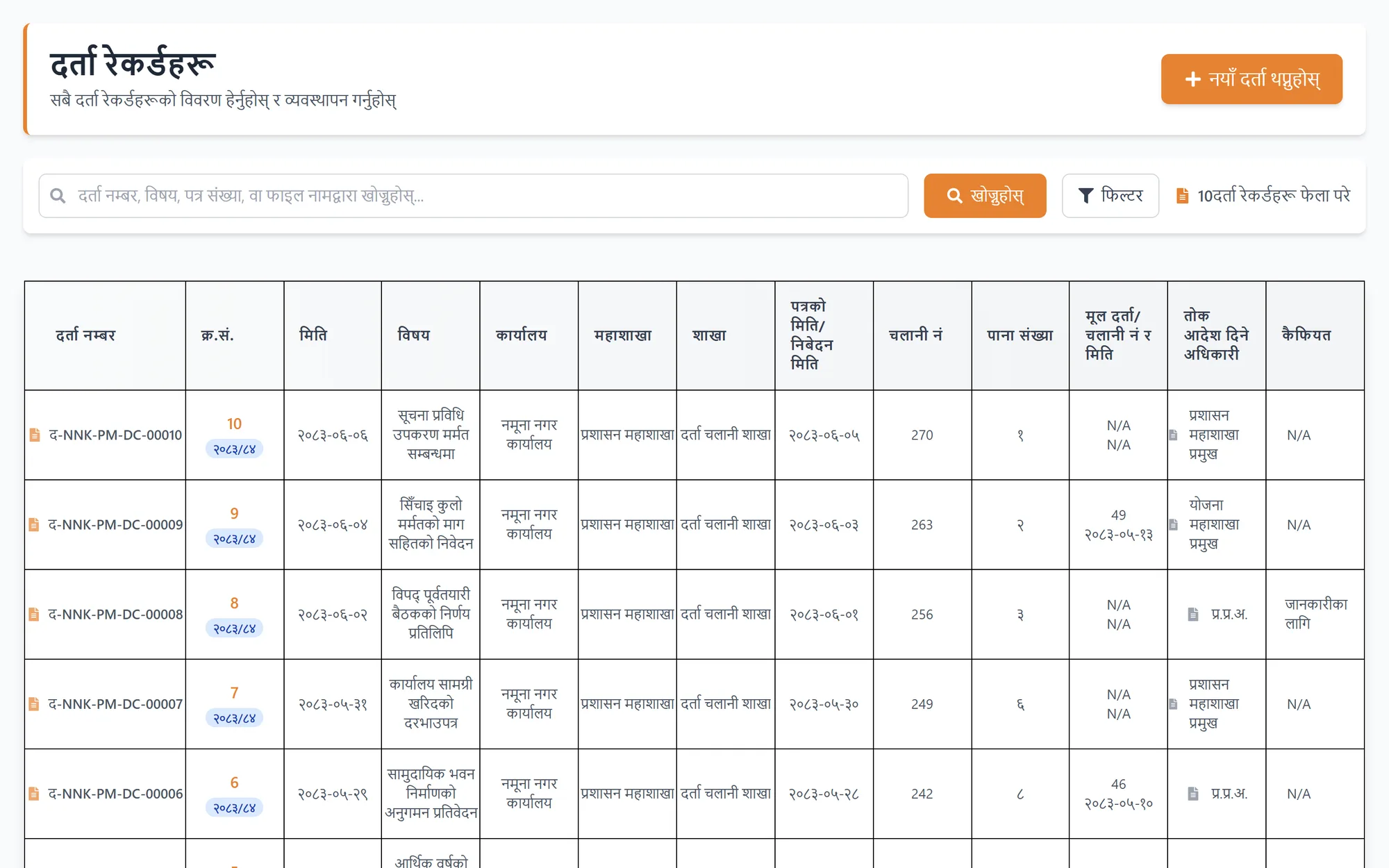
Digital File Tracking System
Darta, Chalani and Tippani — a paper government registry turned into an auditable digital workflow.
Role
Backend and frontend engineer
Stack
- Django
- DRF
- PostgreSQL
- React
- Vite
- Tailwind CSS
Evidence
- Commits
- 356
- Repositories
- 3
- Evidence range
- Jan 2025 – Apr 2026
The problem
What this had to solve.
Nepali government offices route documents through a long-established clerical system: incoming mail is registered as Darta, internal notes and recommendations move as Tippani up an approval chain, and outgoing correspondence leaves as Chalani. On paper it is slow, but the accountability is excellent — every hand a file passes through is recorded. Digitising it meant keeping that audit trail intact while making sure a clerk in one branch can never open a file belonging to another office.
Architecture
How it actually works.
A document is registered on arrival (Darta), moves up an approval chain as internal notes (Tippani), and leaves as recorded outgoing correspondence (Chalani). Each gate asks three questions at once — which office, which role, which workflow stage — and unauthorised records are excluded at the queryset, so they never reach a template.
What I built
My contribution.
- 01
Developed core document workflows for Darta, Chalani, Tippani, sub-Tippani, approvals, transfers, file history and document uploads.
- 02
Added role-based access control and data isolation so users could see and act on only the records allowed by their office, role and workflow stage.
- 03
Implemented search, filters, pagination, notifications, SMTP password reset, employee administration, and transfer/error recovery flows.
- 04
Built responsive administrative interfaces for head office, departments, branches, employee details, Darta/Chalani registers and file tracking.
The hard part
Authorization that is three questions, not one
The obvious model is role-based: a clerk sees clerk things, a chief sees chief things. Real offices do not work that way. Whether you may act on a file depends on your office, your role, and where the file currently sits in its approval chain — a section officer can recommend on a Tippani addressed to their section and is a stranger to an identical file one branch over. Collapsing that into a single permission check produced either leaks or dead ends. I modelled the three dimensions separately and enforced them at the queryset level, so a record the user has no business seeing never enters the result set in the first place, rather than being filtered out in a template where someone could later forget.
Interface
What it looks like in use.
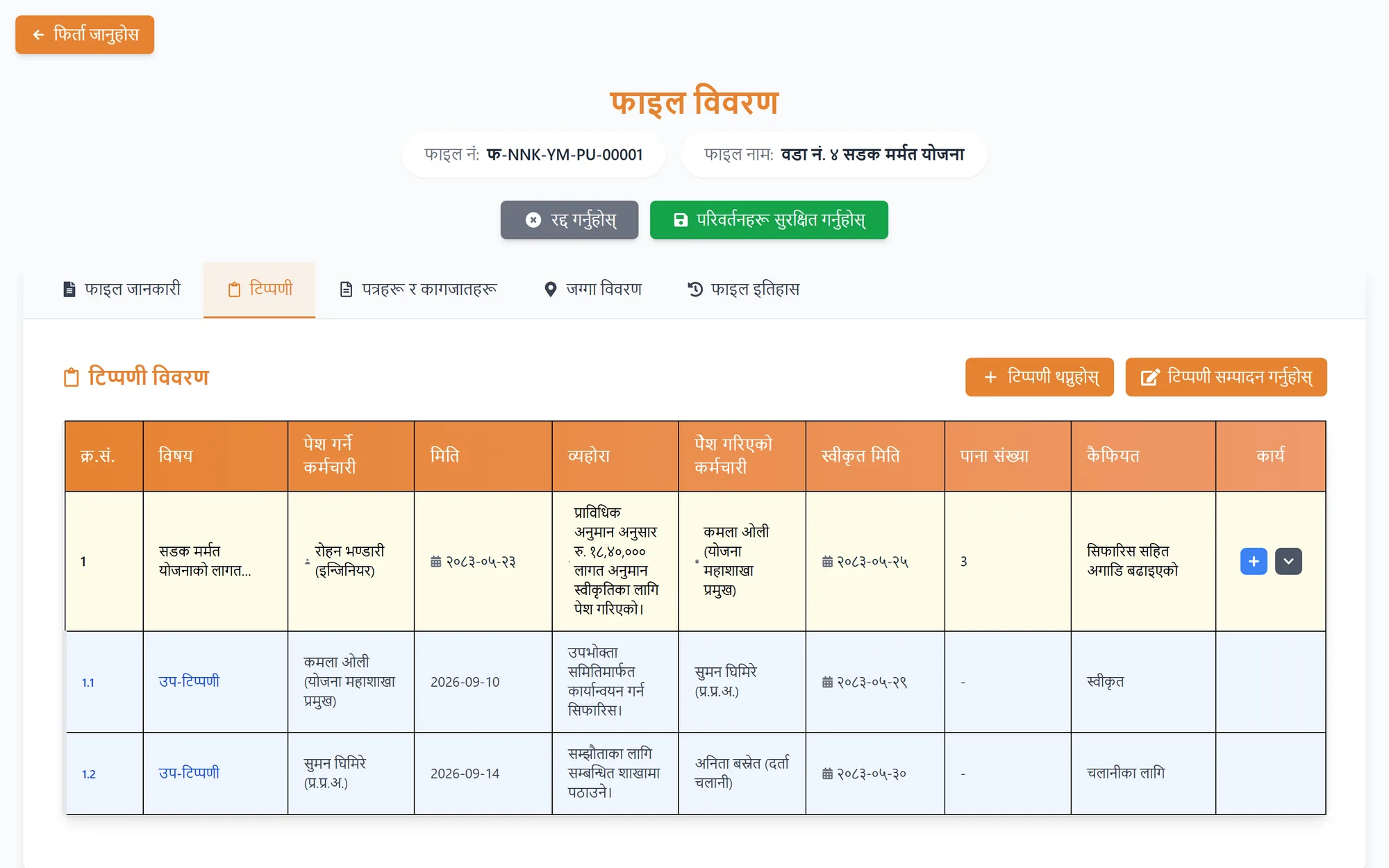
A file’s noting sheet as a traceable approval chain: who raised each note, who signed it off, and when.